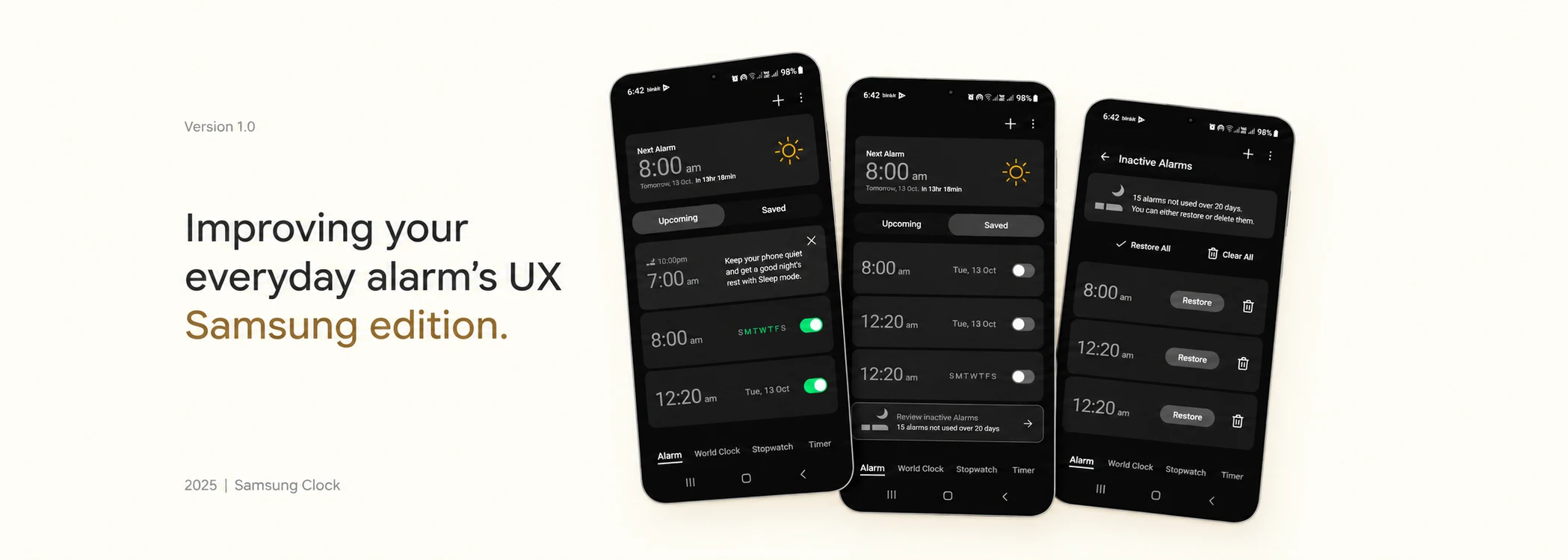
Mundane Fixes · 01 Samsung Clock
Where's My Alarm?
I set alarms day by day, plus a few that repeat. Finding the ones that will actually ring should take one glance. It didn't.
The Pain
- 1
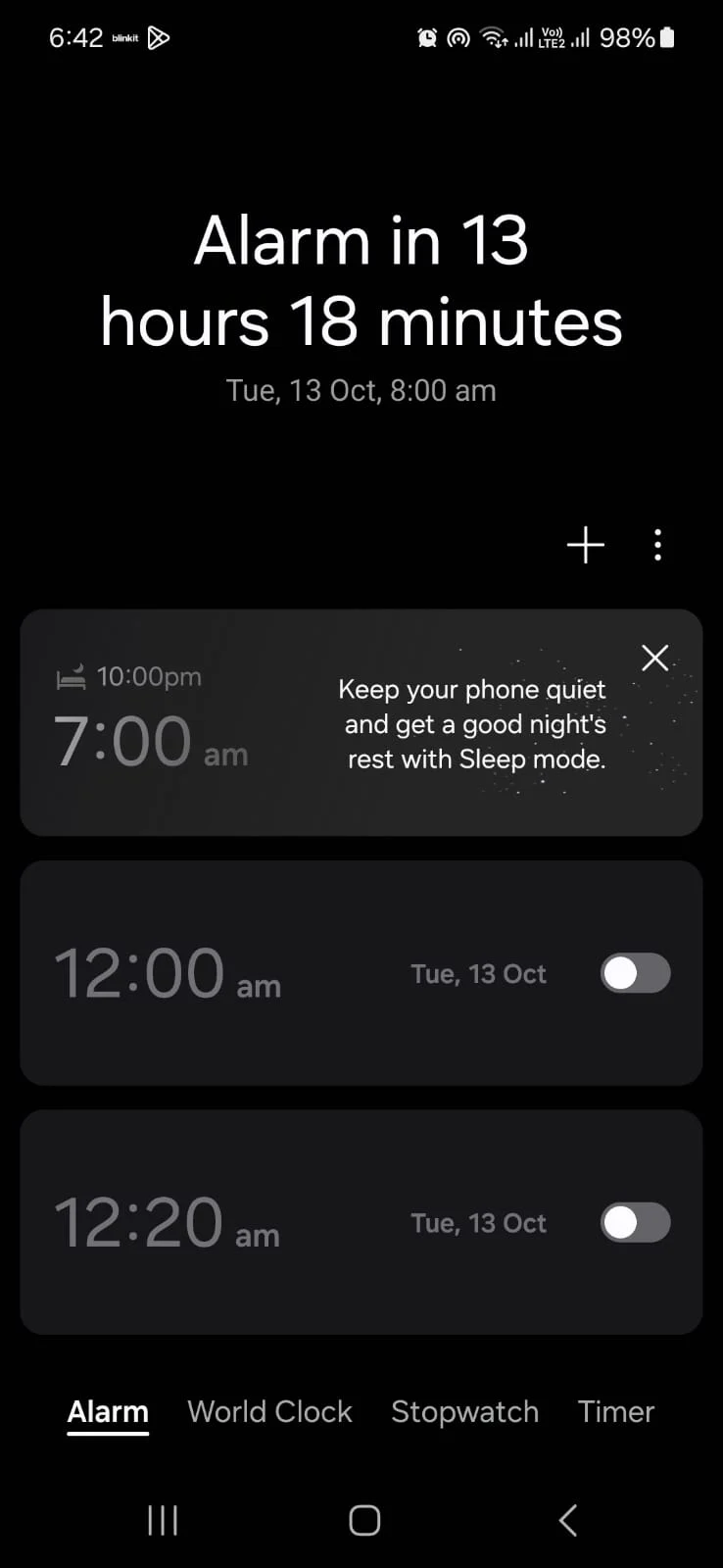
"Alarm in 13 hours 18 minutes." Cool. So… what time is that?
It tells you the time left, not when it rings. - 2
Scroll, scroll, scroll. Which ones did I turn on again?
Old alarms pile up and bury the live ones. - 3
I turned on three alarms. You're showing me two that are off.
No single place shows everything that's going to ring.
Before / After
What I Cooked
Before
1
2
3
- 1A countdown. Do the math yourself.
- 2Old one-time alarms first. The 8:00 am that rings is below the fold.
- 3Everything's off. Not one live alarm on screen.
Upcoming
 1
2
3
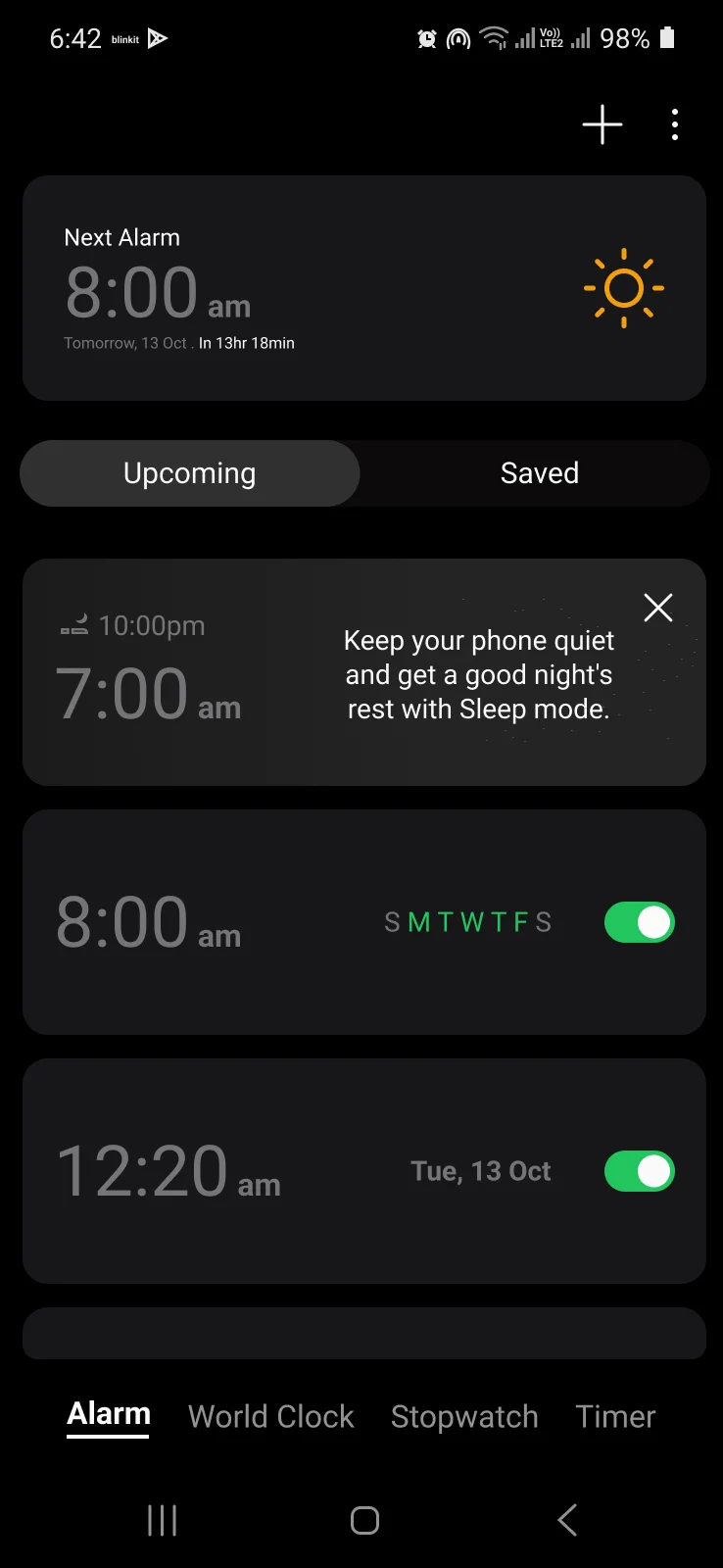
- 18:00 am. Tomorrow. Done. The actual time, countdown tucked underneath.
- 2Upcoming vs Saved. What's on is split from what's off. No scrolling.
- 3Every live alarm, in one go. Green toggles, green repeat days.
Saved
 1
2
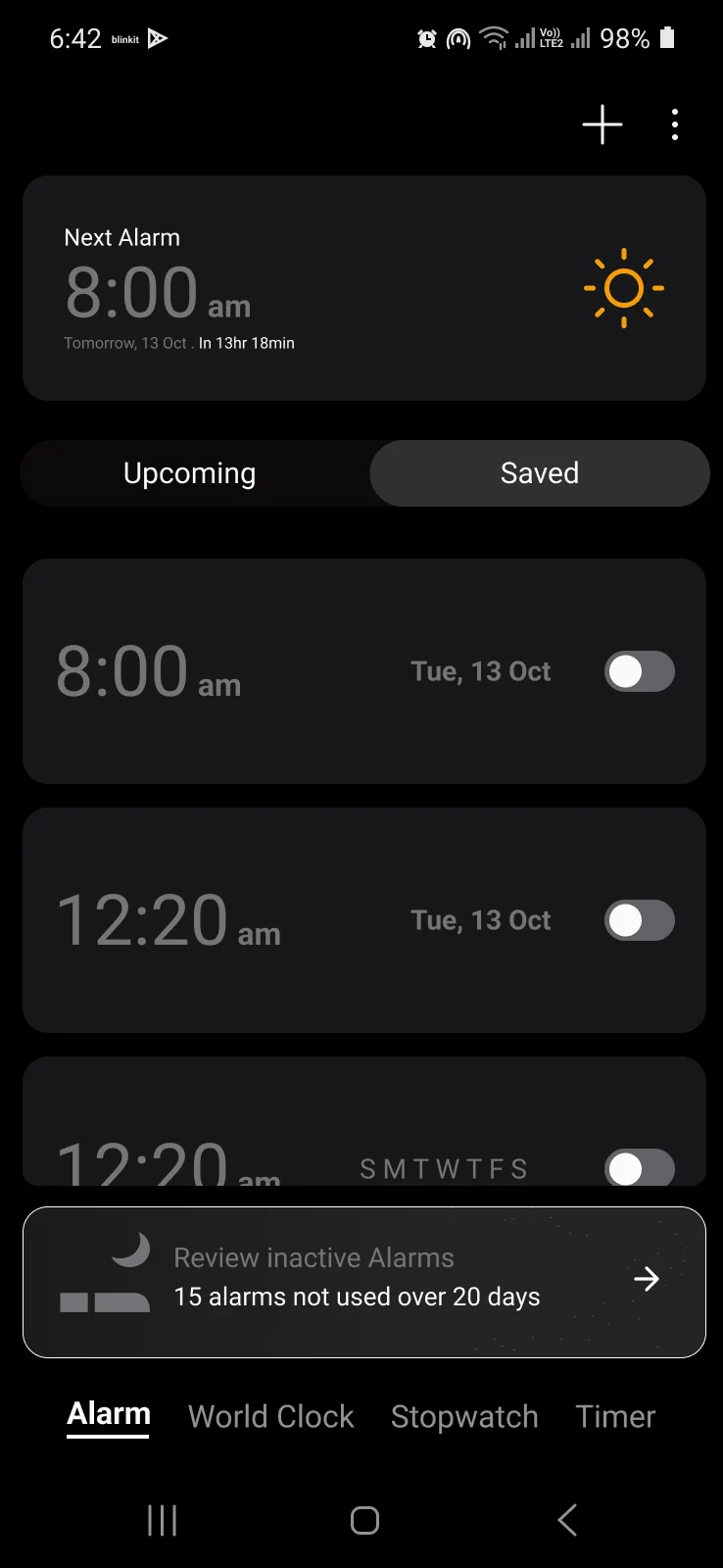
- 1The rest, out of the way. Switched-off alarms live here, not in your face.
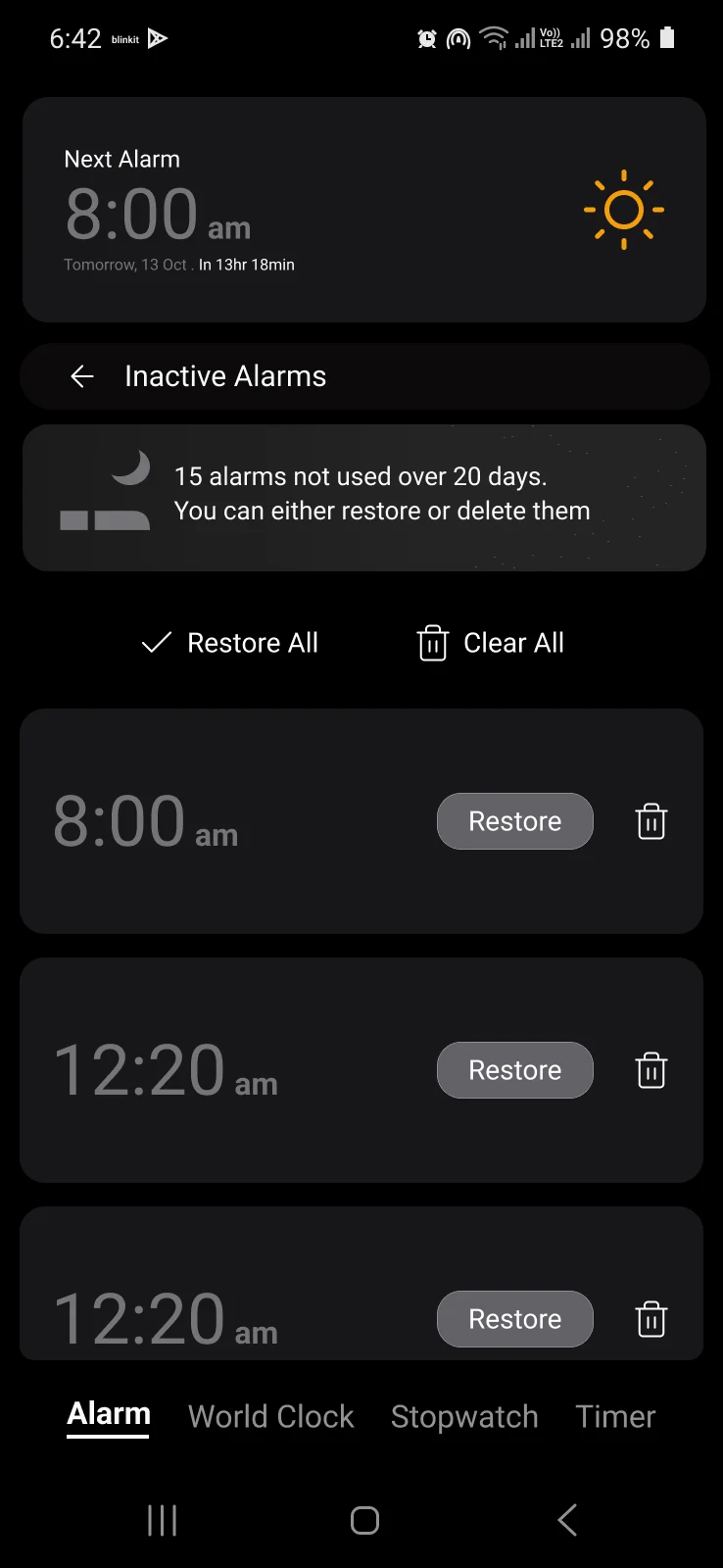
- 2A quiet nudge. 15 alarms unused for 20 days? Time to clean up.
Review
 1
2
- 1All at once. Restore All or Clear All in one tap.
- 2Or one by one. Nothing disappears unless you say so.